STAB · v1.0.5 STAB

A house stab generator. One main button.

Choose a key. Hit SLASH. Get a usable stab and a matching MIDI pattern. Lock what you like, regenerate the rest.

Buy STAB · €7 Mac and Windows · VST3, AU, Standalone
In use · 0:48
FormatsVST3 · AU · Standalone
macOSUniversal, Apple Silicon and Intel
SigningNotarised by Apple
Windows64-bit
Tested inAbleton Live 12 · FL Studio · Logic Pro
Price€7

AU validated with Apple's auval. Both formats pass pluginval at strictness 10.

Styles

All 13 styles. Hear each one.

Straight out of the plugin: no processing, no mixing, from its own WAV export.

Recorded between 120 and 155 BPM; STAB follows whatever tempo you are working at.

The instrument

Everything on one screen.

Key & scale

Locked to the scale you pick.

Major · minor · dorian · phrygian · harmonic minor · pentatonic · mixolydian · lydian.

The pattern grid, showing generated notes across two bars.
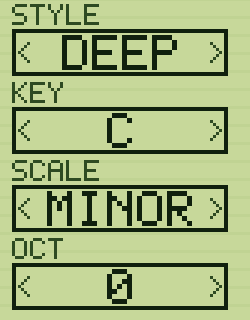
Style

Same button, narrower room.

Pick DEEP and every SLASH stays in that world.

The STYLE, KEY, SCALE and OCT selectors down the left of the plugin.
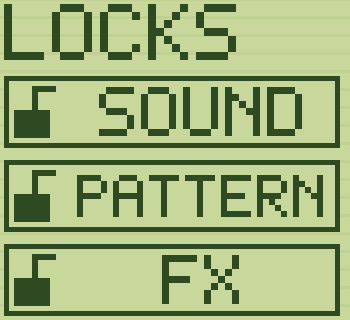
Locks

Keep what works. Reroll the rest.

Lock SOUND, PATTERN or FX. SLASH only rerolls what is left unlocked.

The LOCKS panel with Sound locked, Pattern and FX unlocked.
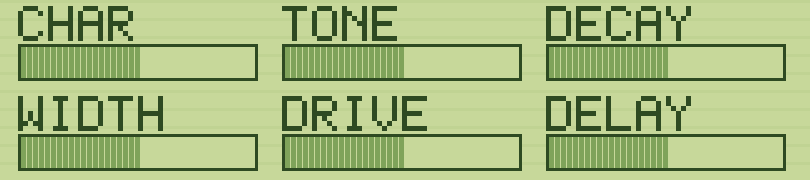
Macros

Six knobs. No menus.

CHAR, TONE, DECAY, WIDTH, DRIVE, DELAY. All six automate.

The six macro sliders: CHAR, TONE, DECAY, WIDTH, DRIVE and DELAY.
Export

Drag it straight from STAB into your DAW.

MIDI or 24-bit audio. Loops seamlessly, at the right tempo.

The MIDI and WAV drag handles.

One purchase covers both platforms and all three formats. Download immediately, no account to create.

Buy STAB · €7

macOS — open the disk image and drag STAB.vst3 into your VST3 plugins folder.
Windows — unzip it into C:\Program Files\Common Files\VST3.
Then restart your DAW. Full installation guide →

Known limits